Andrеy Lapрo — QA Engineer Portfolio / Featured Work / PDF-XChange Pro (Deep Dive)
Top 10 Implemented Improvements
Table of Contents
- 1. Critical: Search Process Hangs for Hours
- 2. Major Efficiency: Auto-Remove Hyphenations on Export
- 3. Complex: “Crawling” Selection Area Bug
- 4. Visual Improvement: Split Lines Beyond Page Edges
- 5. Functionality: Broken Filename Macro in Batch Processing
- 6. Feature Request: Context Menu Integration for PDF-Tools
- 7. UX: Progress Bar for Long-Running Search
- 8. Batch Processing: Export to Word Bug with Mixed Files
- 9. Feature: Remove Installed OCR Languages
- 10. Consistency: Sync OCR Language Selection Between Tools
1. Critical: Search Process Hangs for Hours
Project/Link: PDF-XChange Editor / Searching among documents hangs
Type: Performance/Stability
Problem: Advanced multi-document search freezes indefinitely on specific files without error messages or user feedback.
Evidence: Forum thread with community confirmation, test file provided.
Click to see screenshot
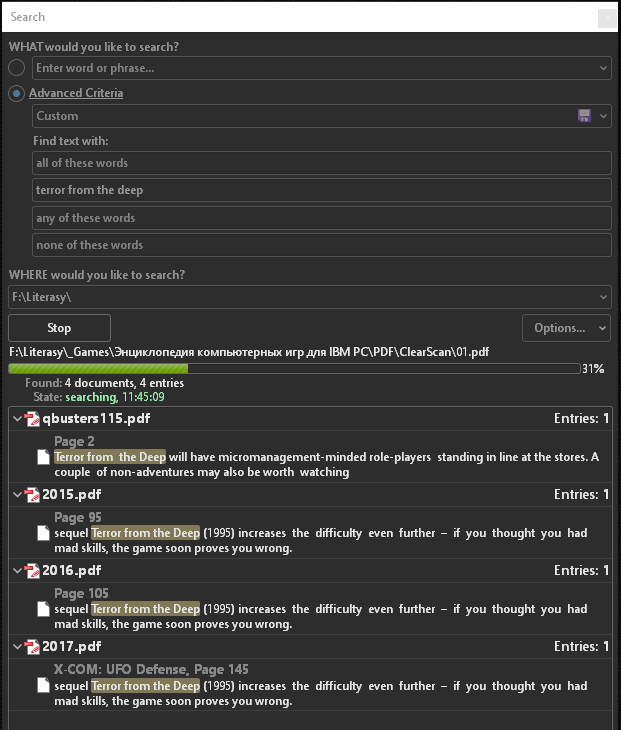
How I Found It: While testing batch search functionality across large document collections, the process hung for 8+ hours on a single file with no indication of progress or error.
Impact:
- Business: Users unable to complete document searches, forced to restart application
- Severity: Critical - complete loss of functionality
- User Time Lost: Hours of unproductive waiting
Skills Demonstrated:
- Edge case discovery through real-world usage scenarios
- Clear reproduction steps with problematic file provided
- Community collaboration (other users confirmed)
- Patience in working with developers on hard-to-reproduce issues
Resolution: Fixed silently in next release after developer investigation.
2. Major Efficiency: Auto-Remove Hyphenations on Export
Project/Link: PDF-XChange Editor / Removing hyphenations when saving to text
Type: Enhancement
Problem: When exporting PDF books to text formats, line-end hyphens from justified text remained, creating incorrect word breaks (e.g., “com-puter” instead of “computer”).
Evidence: Before/after comparison of exported text.
Click to see screenshot
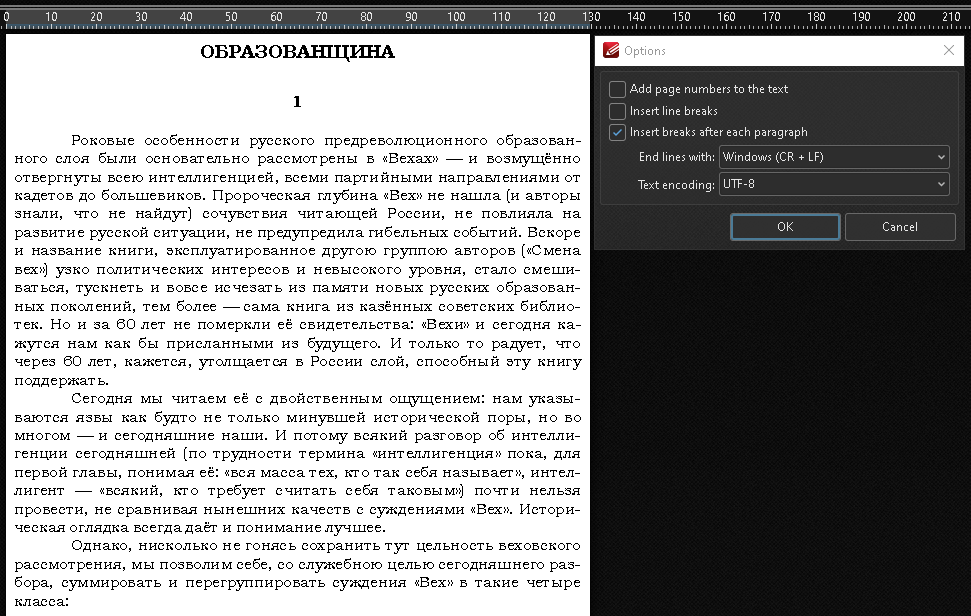
How I Found It: Exploratory testing of PDF-to-text conversion workflow for books, identified massive manual cleanup burden.
Impact:
- Time Saved: Hours of manual editing per 100+ page book
- Business: Made PDF-to-text workflow practical for books
- User Experience: Professional-quality text exports
Skills Demonstrated:
- End-to-end workflow testing
- Understanding real-world use cases (book digitization)
- Feature request with clear business value
- Documentation quality focus
Resolution: Implemented as automatic cleanup option.
3. Complex: “Crawling” Selection Area Bug
Project/Link: PDF-XChange Editor / Crop Page Tool selection “crawls”
Type: UX & Usability
Problem: At high zoom levels (400%+), dragging crop selection borders caused the selection to “crawl” off-target by several pixels.
Evidence: Screen recording showing pixel-level drift behavior.
Click to see screenshot
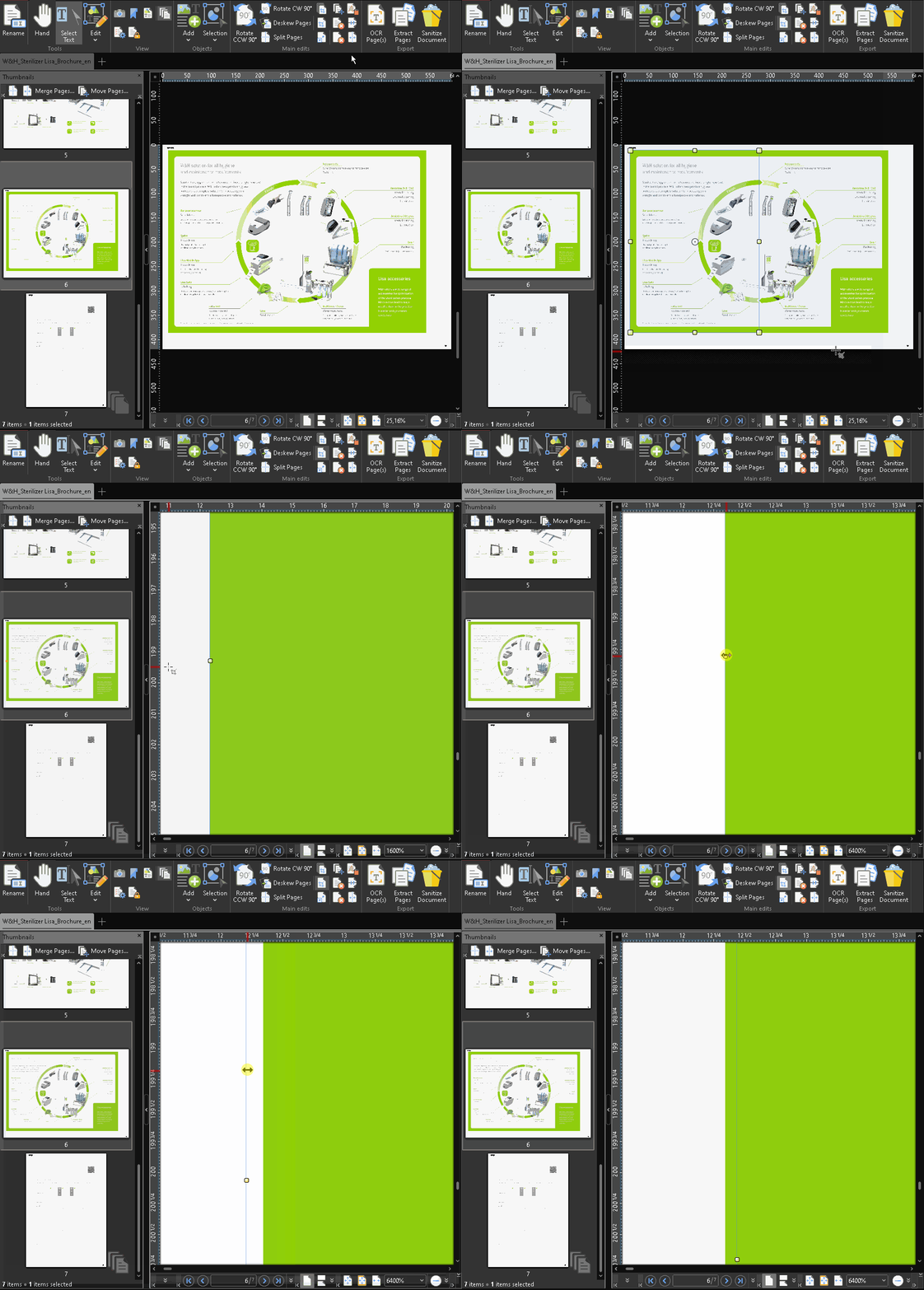
How I Found It: Detailed testing of crop tool at various zoom levels while working with high-resolution technical diagrams.
Impact:
- Precision: Users couldn’t crop accurately at high zoom
- Workarounds: Manual coordinate entry required
- User Frustration: Tool unusable for precision work
Skills Demonstrated:
- Persistence: Two support staff couldn’t reproduce for a week, but developers eventually confirmed
- Detailed environment documentation
- Testing at edge conditions (high zoom)
- Root cause analysis collaboration
Resolution: Fixed after developer deep-dive investigation.
4. Visual Improvement: Split Lines Beyond Page Edges
Project/Link: PDF-XChange Editor / Display split lines off the page
Type: UX & Usability
Problem: Page split lines (for multi-up printing) were clipped at page edges, making them barely visible on narrow pages.
Evidence: Screenshots showing before and suggested view of guides using the Adobe Photoshop as an example.
Click to see screenshots
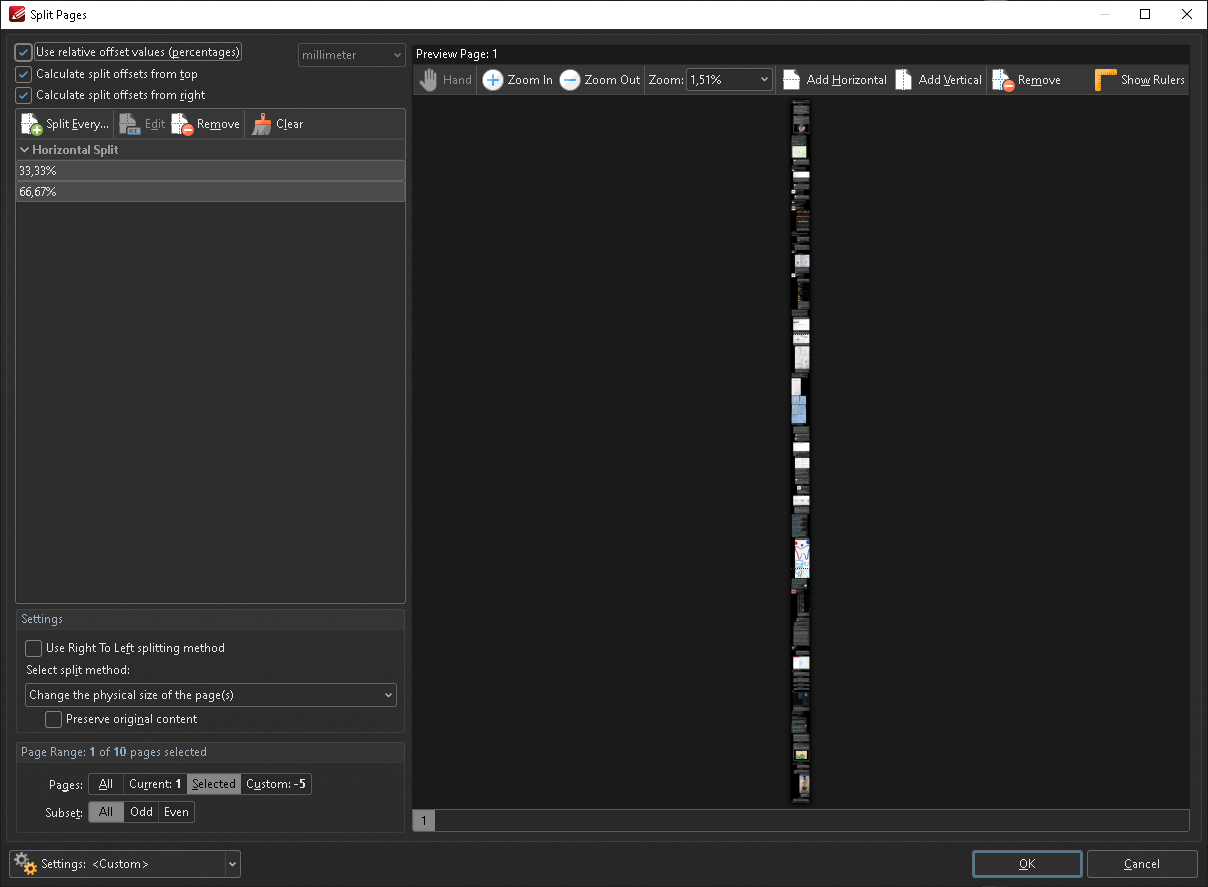
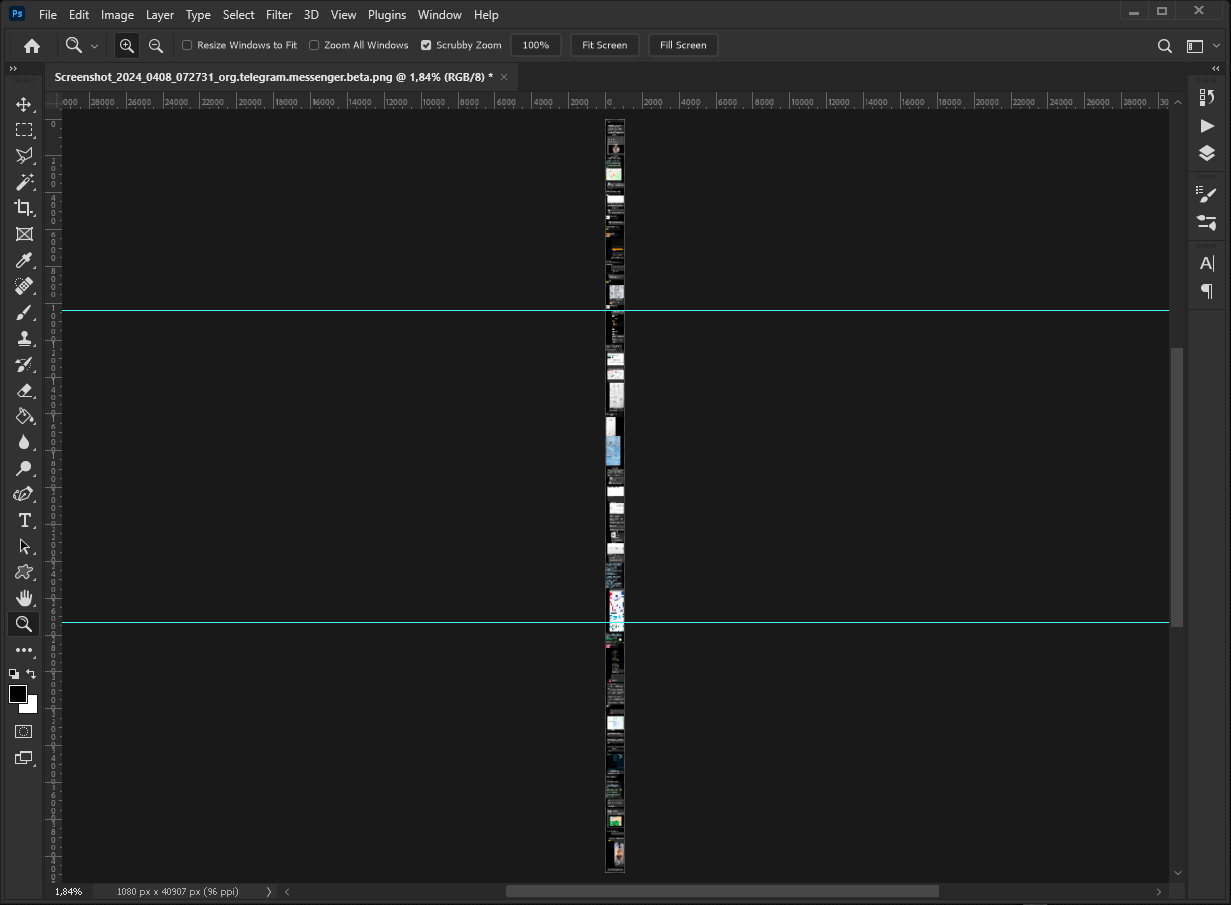
How I Found It: Usability testing of document splitting feature with various page sizes.
Impact:
- Visibility: Split guides now impossible to miss
- UX: Matches Adobe Acrobat behavior (user expectations)
- Zero Downside: Pure improvement with no trade-offs
Skills Demonstrated:
- Comparative analysis (PDF-XChange vs Adobe Acrobat)
- Visual/UI testing
- Usability thinking: “expected behavior”
- Clear before/after visualization
Resolution: Implemented exactly as proposed.
5. Functionality: Broken Filename Macro in Batch Processing
Project/Link: PDF-Tools / %[FileName] placeholder doesn’t work
Type: Functionality
Problem: In batch conversion with multiple input files, the %[FileName] macro failed to generate unique output filenames, causing file overwrites.
Evidence: Test case with multiple files showing overwrite behavior.
How I Found It: Testing batch conversion workflows with automated filename generation from templates.
Impact:
- Data Loss Risk: Files overwritten without warning
- Workflow Broken: Batch processing unusable with this macro
- Scope: Affects all users using filename templates
Skills Demonstrated:
- Batch processing/automation testing
- Macro/template system testing
- Data loss risk identification
- Clear reproduction with specific input scenarios
Resolution: Macro logic corrected.
6. Feature Request: Context Menu Integration for PDF-Tools
Project/Link: PDF-Tools / PDF-Tools shortcuts and settings linking
Type: Enhancement
Problem: PDF-Tools (batch processor) had customizable Windows Explorer context menu, but configuration was scattered and unintuitive.
Evidence: Forum discussion showing evolution from concept to feature.
Click to see screenshot
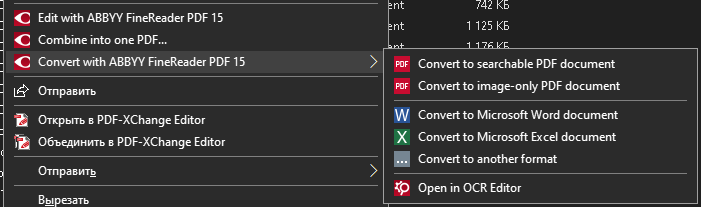
How I Found It: Exploratory testing of workflow integration between PDF-Tools and Windows File Explorer.
Impact:
- Major Feature: I was first to propose the unified context menu approach that exists today
- Workflow: Transformed batch processing from separate app to seamless Explorer integration
- Adoption: Key differentiator vs Adobe Acrobat
Skills Demonstrated:
- Product vision: seeing potential of existing capability
- Workflow design thinking
- Feature specification through discussion
- Long-term engagement (3 years from proposal to implementation)
Resolution: Implemented as proposed after 3-year development cycle.
7. UX: Progress Bar for Long-Running Search
Project/Link: PDF-XChange Editor / Add progress bar to advanced search
Type: UX & Usability
Problem: Multi-file search operations could run for 10+ hours with zero feedback, leaving users uncertain if app had frozen.
Evidence: Before: blank window for hours. After: live progress feedback.
How I Found It: Real-world testing with large document collections (1000+ files).
Impact:
- User Anxiety: “Is it working or frozen?”
- Time Planning: Users can now estimate completion time
- Professional UX: Matches expectations for long operations
Skills Demonstrated:
- Long-running operation testing
- User psychology understanding (feedback needs)
- ETA/progress indicator design thinking
- Real-world large-scale testing
Resolution: Progress bar with ETA added.
8. Batch Processing: Export to Word Bug with Mixed Files
Project/Link: PDF-Tools / “Export to Word” - file not found error
Type: Functionality
Problem: Batch export to Word failed on mixed .doc files (plain text KOI-8 encoding + binary Word format) with cryptic error.
Evidence: Test files with problematic encodings provided.
How I Found It: Testing batch export across diverse legacy document collections with various encodings.
Impact:
- Compatibility: Breaking on legacy encoding formats
- Error Handling: Cryptic message vs clear explanation
- Data Migration: Blocked batch processing of old archives
Skills Demonstrated:
- Legacy format testing (KOI-8, old Word formats)
- Encoding/character set knowledge
- Batch processing edge cases
- Diverse test data collection
Resolution: Fixed without developer comment on root cause.
9. Feature: Remove Installed OCR Languages
Project/Link: PDF-XChange Editor / How to remove OCR languages?
Type: Enhancement
Problem: Once OCR languages were installed (some 50+ MB for Asian languages), they were permanent — no uninstall option existed.
Evidence: Before: no uninstall. After: per-language removal.
Click to see screenshots
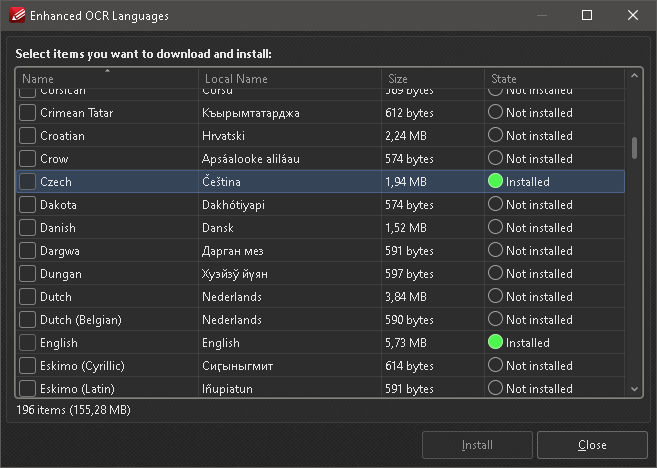
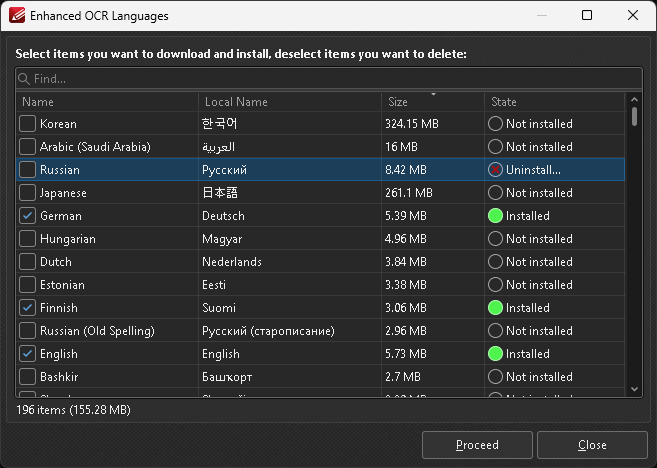
How I Found It: Testing OCR functionality, noticed bloated installation size with no cleanup path.
Impact:
- Disk Space: 100+ MB for unused languages
- Installation Bloat: Permanent growth with no reversal
- User Control: No way to manage installed components
Skills Demonstrated:
- Installation/configuration testing
- Storage management awareness
- Missing feature identification (uninstall path)
- User control/flexibility thinking
Resolution: Uninstall option added to language manager.
10. Consistency: Sync OCR Language Selection Between Tools
Project/Link: PDF-XChange Editor / Sync OCR tools language selection
Type: UX & Usability
Problem: PDF-XChange Editor has two separate OCR tools (“OCR Pages” and “OCR Image”). Language selections weren’t synchronized between them, causing repeated reconfiguration.
Evidence: Workflow demonstration showing manual reconfiguration eliminated.
How I Found It: Workflow testing—using both OCR tools in same session, noticed settings didn’t carry over.
Impact:
- Efficiency: Users repeatedly select same languages
- Consistency: Expected behavior from same app
- UX: Small friction, frequent annoyance
Skills Demonstrated:
- Cross-feature consistency testing
- User expectation analysis (“should just work”)
- Workflow friction identification
- Feature parity thinking
Resolution: Language selections now synchronized.