Andrey Lаpрo — QA Engineer Portfolio / Featured Work / GitHub Open Source (2023-2025)
Top 8 Issues Across Diverse Projects
Table of Contents
- 1. Critical: CPU Compatibility Issue in Spectral
- 2. Critical: Crash in RetroArch with Malformed ISOs
- 3. Data Loss Prevention in HomeMedkit
- 4. Dark Theme Bugs in Google Docs Extension
- 5. Location Tracking Features in Locus
- 6. UTF-8 Bug in Unison File Synchronizer
- 7. Location Arrow Invisible in StreetComplete Dark Theme
- 8. Browser Setting Conflict in FacilMap
Demonstrating breadth: exploratory testing across 380+ repositories in 2 years
1. Critical: CPU Compatibility Issue in Spectral
Project/Link: Spectral (Sinclair ZX Spectrum retro-computer emulator) / #4 — AVX2 incompatibility
Type: Compatibility, Crash Bug
Status: Fixed
Problem: Application crashed on launch for all non-AVX2 CPUs (Intel pre-Haswell, AMD pre-Excavator, affecting millions of older systems).
How I Found It: Downloaded new emulator release, immediate crash on my test system. Researched CPU instruction sets, identified AVX2 as likely culprit.
Impact:
- Severity: Critical — complete inability to run on entire CPU generations
- User Base: Excluded users with CPUs older than 2013-2014
- Platform: Windows desktop application
Skills Demonstrated:
- Hardware compatibility testing
- CPU instruction set knowledge
- Root cause analysis from crash behavior
- Clear technical reporting
Resolution: Developer confirmed, rebuilt without AVX2 requirement.
2. Critical: Crash in RetroArch with Malformed ISOs
Project/Link: RetroArch (multi-platform emulator) / #16906 - Crash reading ISOs without serial
Type: Crash Bug
Status: Fixed
Problem: Application crashed when attempting to read ISO files missing embedded serial numbers (common in homebrew/demo discs).
How I Found It: Testing RetroArch with diverse ISO collection including homebrew games, observed consistent crashes on specific files.
Impact:
- Severity: High — application crash
- Data Safety: Potential loss of unsaved progress
- Use Case: Blocked homebrew/demo scene users
Skills Demonstrated:
- Edge case file format testing
- Crash reproduction with specific test cases
- Understanding disc image metadata
- Test file curation (homebrew ISOs)
Resolution: Fixed in next release.
3. Data Loss Prevention in HomeMedkit
Project/Link: HomeMedkit (medication tracking app) / #60 & #61
Type: UX / Data Loss Bug
Status: Fixed
Problem: Users could lose entered medication data if they didn’t realize form validation requirements before navigating away. No save prompt, no warning.
How I Found It: Workflow testing—filling forms, testing navigation patterns. Realized data silently discarded.
Impact:
- Severity: High — silent data loss
- User Frustration: Re-entering same medication repeatedly
- Trust: Users questioning if app is saving anything
Skills Demonstrated:
- User workflow analysis
- Data loss scenario identification
- Form validation UX testing
- Critical thinking: “what if user doesn’t notice X?”
Resolution: Added save confirmation prompt and clearer validation feedback.
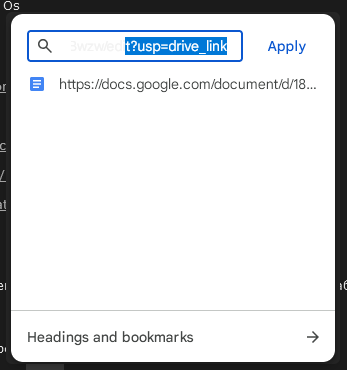
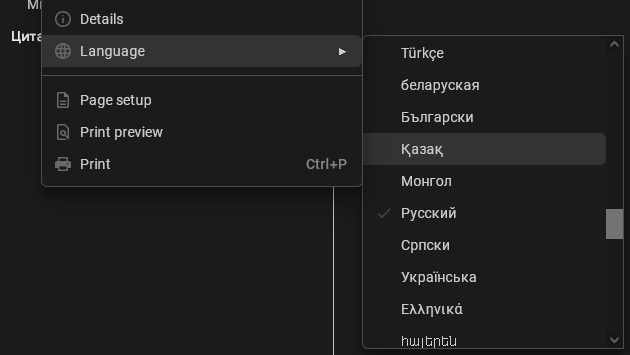
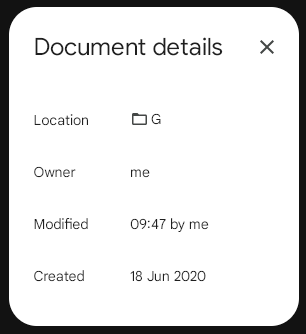
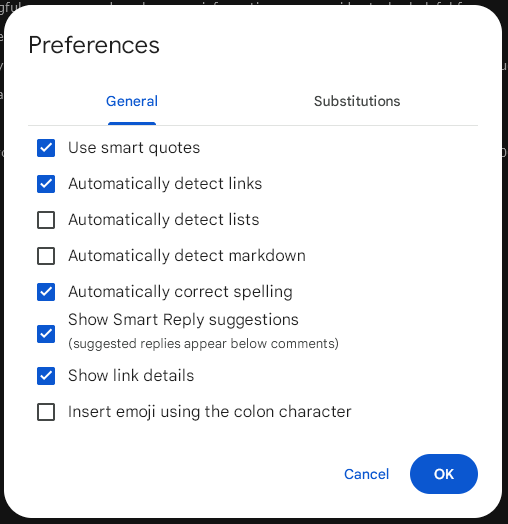
4. Dark Theme Bugs in Google Docs Extension
Project/Link: DocsAfterDark (dark theme for Google Docs) / #56, #57, #58-60, #61
Type: Visual / Accessibility Bugs
Status: All Fixed
Problem:
- Light text on light background (unreadable)
- Checkmarks invisible in dark theme
- Cursor barely visible in certain tools
- Multiple dialogs not inverted correctly
Evidence:
Click to see screenshots
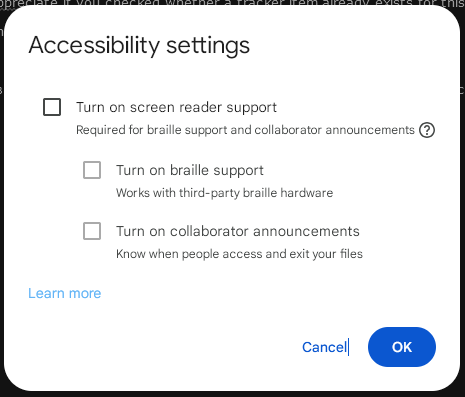
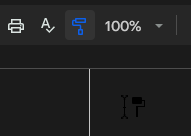
͏
How I Found It: Comprehensive testing of all Google Docs features with extension enabled, methodically checking every dialog, menu, and tool.
Impact:
- Accessibility: Features unusable in dark mode
- Contrast: Failed WCAG guidelines
- User Experience: Forced users to disable extension temporarily
Skills Demonstrated:
- Systematic UI testing (every dialog, every menu)
- Accessibility/contrast awareness
- Visual regression testing
- Screenshot documentation for visual bugs
- Browser extension testing
Resolution: All reported issues fixed with CSS adjustments.
5. Location Tracking Features in Locus
Project/Link: Locus (location sharing app) / #103, #108, #109
Type: Feature Requests
Status: All Implemented
Problem:
- App showed others’ tracks but not your own (disorienting during forest searches)
- No compass after rotating map (lost orientation)
- No offline history buffering (data lost without connectivity)
Evidence:
Click to see screenshot
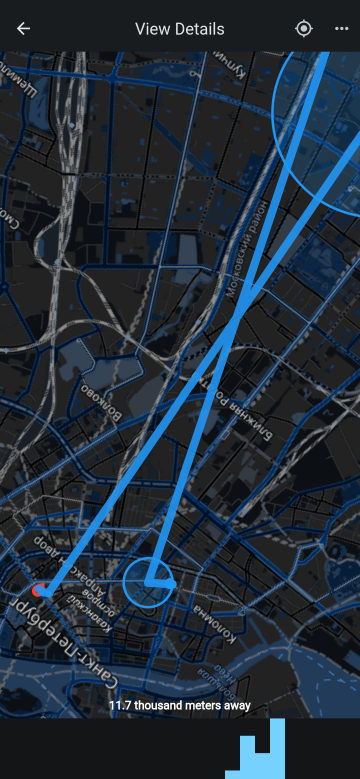
͏
How I Found It: Real-world testing during search & rescue scenarios. Identified critical gaps for wilderness use.
Impact:
- Use Case: Made app practical for SAR/hiking
- Safety: Better orientation in wilderness
- Data Reliability: No location data lost offline
Skills Demonstrated:
- Real-world scenario testing (search & rescue)
- Mobile app testing in field conditions
- Offline functionality testing
- Feature gap identification for specific use cases
- Understanding user needs in critical scenarios
Resolution: All three features implemented.
6. UTF-8 Bug in Unison File Synchronizer
Project/Link: Unison (cross-platform file sync) / #959 — Incorrect UTF-8 handling
Type: Encoding / Localization Bug
Status: Fixed
Problem: File sync failed or corrupted filenames containing non-ASCII characters (Cyrillic, Asian scripts, etc.) due to UTF-8 encoding mishandling.
Evidence:
Click to see screenshot
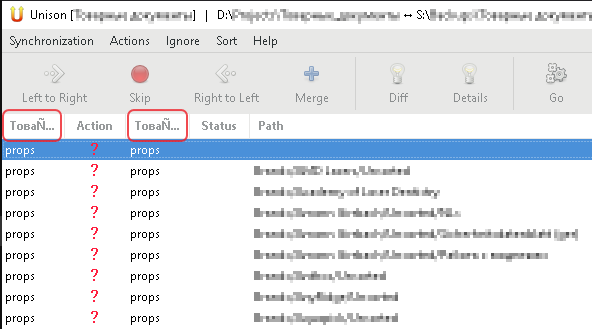
͏
How I Found It: Testing file synchronization with Russian filenames, observed corruption and sync failures.
Impact:
- Internationalization: Broke sync for non-English users
- Data Integrity: Filename corruption risk
- Cross-platform: Especially problematic Windows ↔ Linux
Skills Demonstrated:
- Internationalization (i18n) testing
- Character encoding knowledge
- Cross-platform testing (Windows)
- Test data with diverse character sets
- Localization awareness (Cyrillic)
Resolution: Encoding logic corrected.
7. Location Arrow Invisible in StreetComplete Dark Theme
Project/Link: StreetComplete (OpenStreetMap editing app) / #6562 — Location arrow barely visible
Type: Visual / Dark Theme Bug
Status: Fixed
Problem: User’s location direction arrow on map was nearly invisible on dark background (black arrow on dark map).
Evidence:
Click to see screenshot
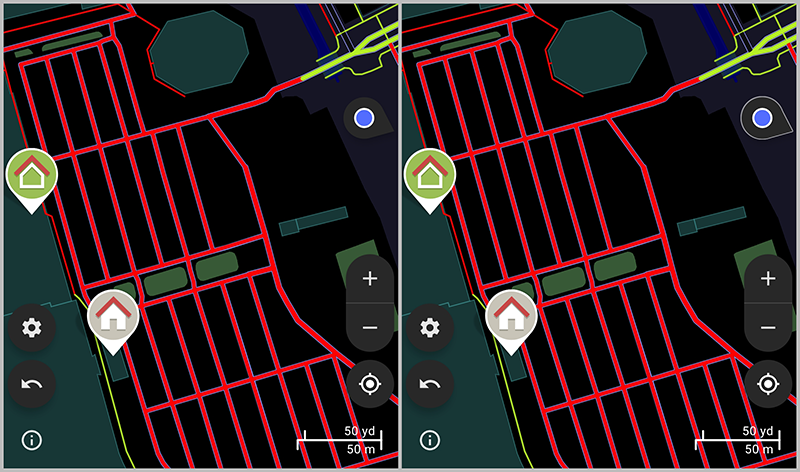
͏
How I Found It: Field testing with dark theme enabled, couldn’t tell which direction I was facing while walking.
Impact:
- Navigation: Critical for wayfinding app
- Dark Theme: Broke primary feature in dark mode
- Accessibility: Contrast issue
Skills Demonstrated:
- Mobile app testing
- Dark theme testing
- Field testing (real-world use)
- Accessibility/contrast awareness
- Map UI testing
Resolution: Arrow color changed to high-contrast white/yellow.
8. Browser Setting Conflict in FacilMap
Project/Link: FacilMap (collaborative web maps) / #312 — Unexpected rendering due to browser setting
Type: Compatibility / Edge Case
Status: Fixed
Problem: Added map elements appeared broken due to my browser’s “dark mode override” setting that developer wasn’t aware existed.
Evidence:
Click to see screenshot
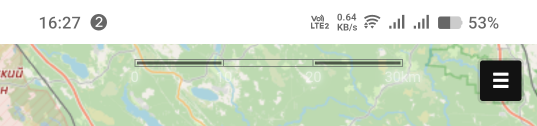
͏
How I Found It: Added map marker, looked completely wrong. Methodically disabled browser settings until found culprit.
Impact:
- User Confusion: “Is the app broken?”
- Developer Blind Spot: Uncovered browser setting affecting rendering
- Compatibility: Affected users with accessibility settings enabled
Skills Demonstrated:
- Systematic debugging (isolate variables)
- Browser setting awareness
- Understanding user environment diversity
- Cross-browser/setting compatibility testing
- Clear communication of non-obvious issue
Resolution: Developer added handling for this browser setting.